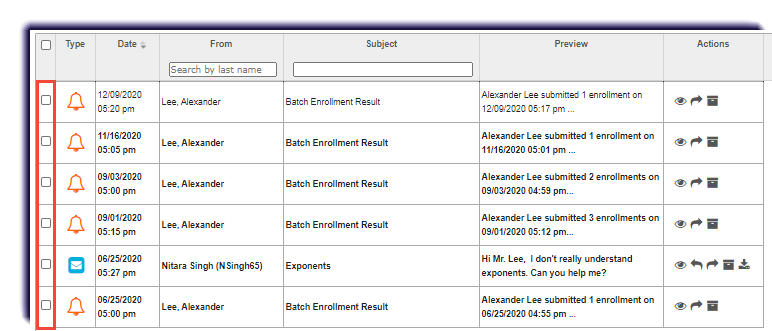
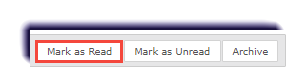
Marking a Message as Read November 10, 2022 23:06 Print Article Email Article Use this page to learn how to mark a message as though it has been read. Click Messages. Checkmark the message (or messages). Click Mark as Read. Articles in this section Messages Overview Archiving a Message Creating and Sending a New Message Exporting Message as a PDF Forwarding a Message Marking a Message as Read Marking a Message as Unread Moving a Message to the Inbox Reading and Responding to Assignment Help Message from Student Replying to a Message See more