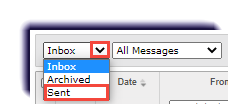
Viewing Sent Messages November 10, 2022 23:01 Print Article Email Article Use this page to learn how to view messages that were sent. Click Messages. Under the filter box, select Sent. Articles in this section Messages Overview Archiving a Message Creating and Sending a New Message Exporting Message as a PDF Forwarding a Message Marking a Message as Read Marking a Message as Unread Moving a Message to the Inbox Reading and Responding to Assignment Help Message from Student Replying to a Message See more